Elements · Structure

Page blueprints

Every page of the future site as an animated wireframe that lists the elements it is built from. Use these to see where a header, hero, card or form you picked on the other pages will actually land before anything is built.

9 variations

Select every variation you like — your picks are saved in this browser.

Home

Twelve bands in decision-maker order: find a series and request a specimen in the first two screens; trust builds after.

  • wireframe
  • 12 blocks
  • T-HOME

On the site: The / template. Pick a header, a hero, the two catalogue displays (finder and marquee), a card family, a testimonial style and a footer on their pages; each one lands in the block with the same name here, in this order.

0 of 7 element slots have a pick

01 Header → Headers & mega menus

Books Solutions About Careers News Contact Request a specimen Menu

02 Hero → Hero sections

NEP 2020 · CBSE · ICSE · State boards

Computer books your school can teach from

Classes 1–10, 18 series, and ITM, ACT and TRM behind every book.
Request a specimenExplore 18 series →
NEP 2020CBSE codes 402 · 417 · 165ISBN on every book
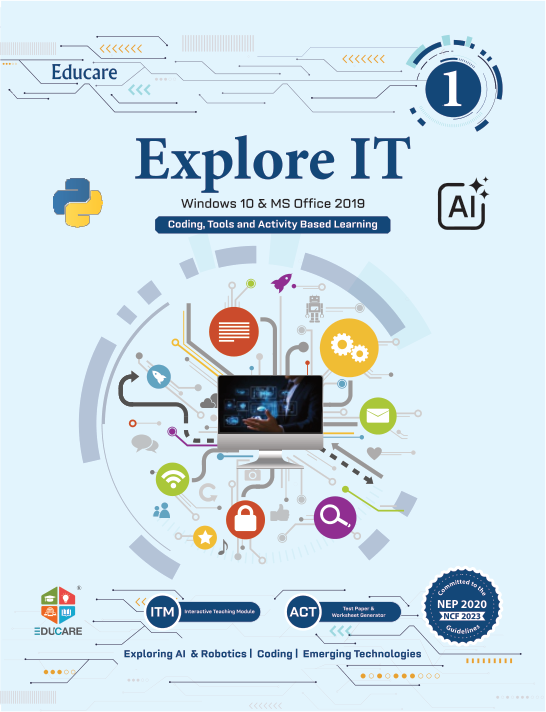
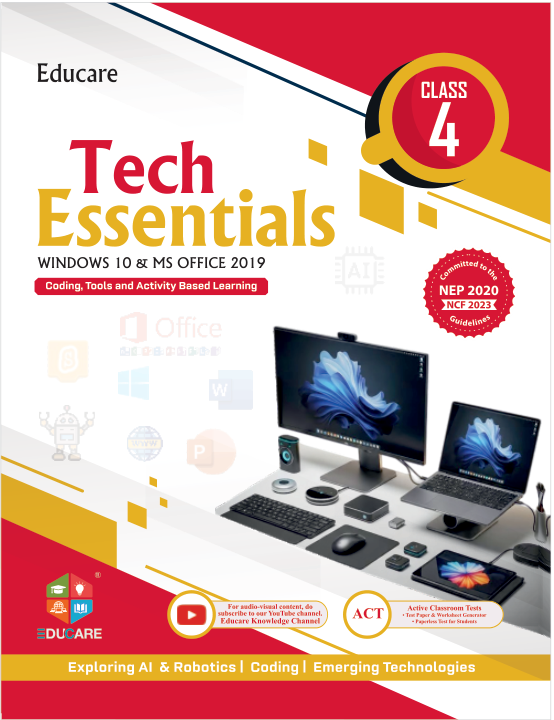
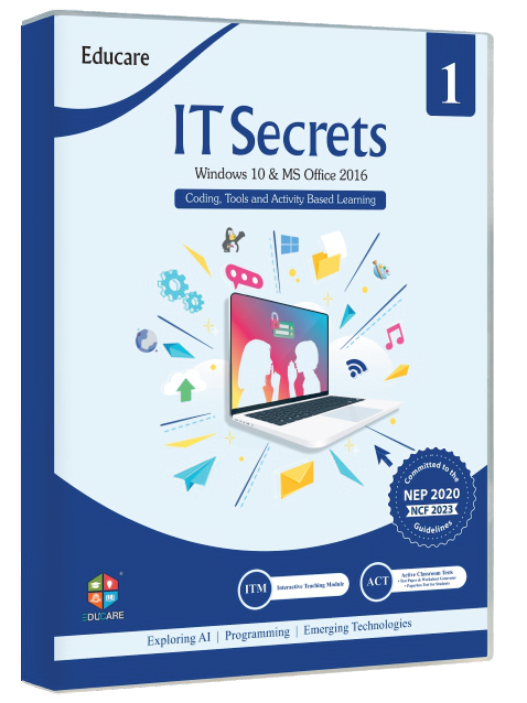
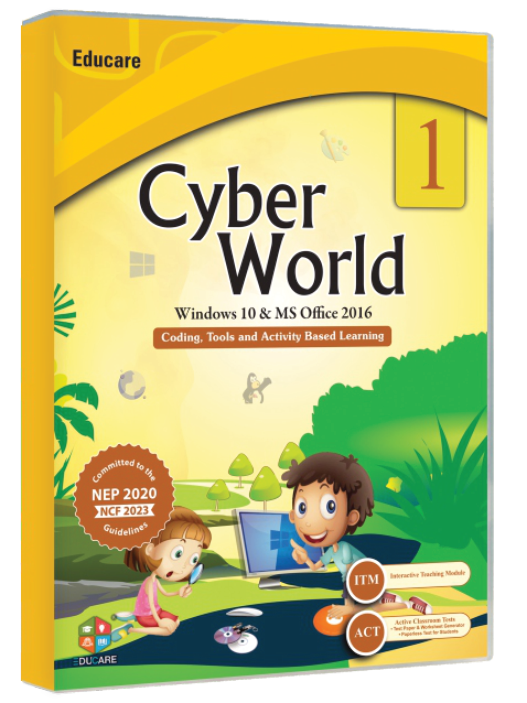
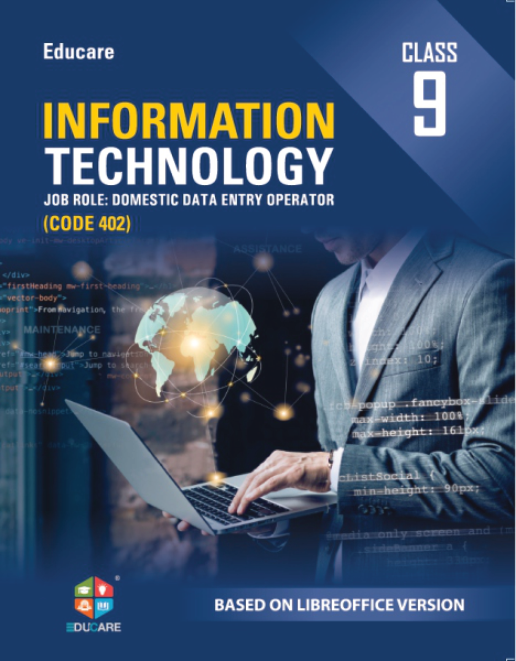
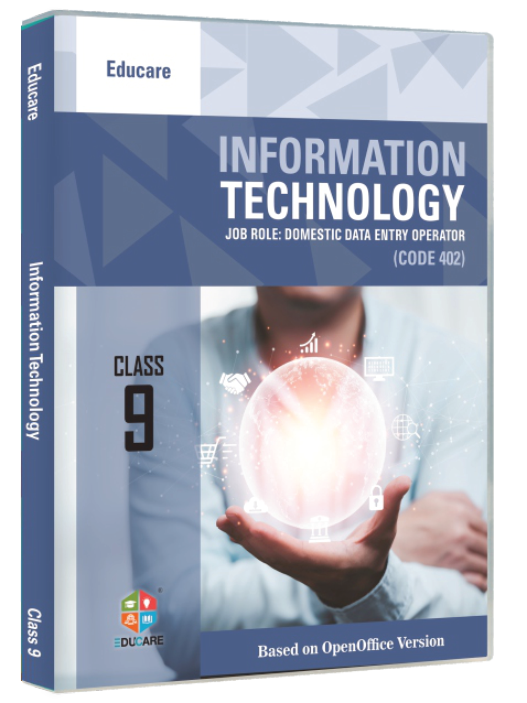
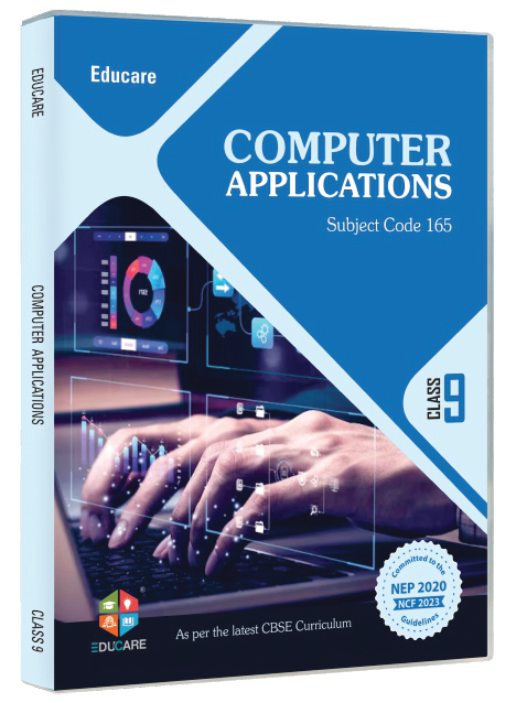
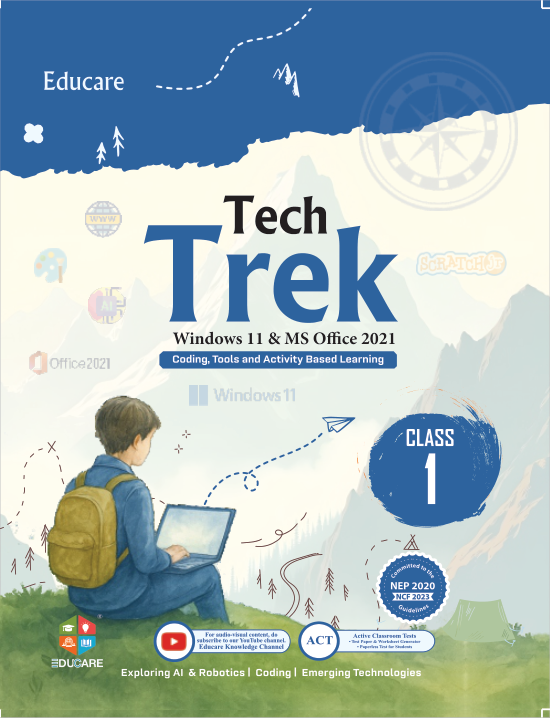
Tech Trek cover Explore It cover Tech Essentials cover IT Secret cover Cyber World cover

03 Series finder → Catalogue displays

Find the right series for your classes

AllClasses 1–8Classes 9–10All platforms
Tech Trek cover

Tech Trek

Win 11 · Office 2021 · Classes 1–8

from ₹295

Explore It cover

Explore It

Win 10 · Office 2019 · Classes 1–8

from ₹280

Tech Essentials cover

Tech Essentials

Win 10 · Office 2019 · Classes 1–8

from ₹259

IT Secret cover

IT Secret

Win 10 · Office 2016 · Classes 1–8

from ₹260

Cyber World cover

Cyber World

Win 10 · Office 2016 · Classes 1–8

from ₹230
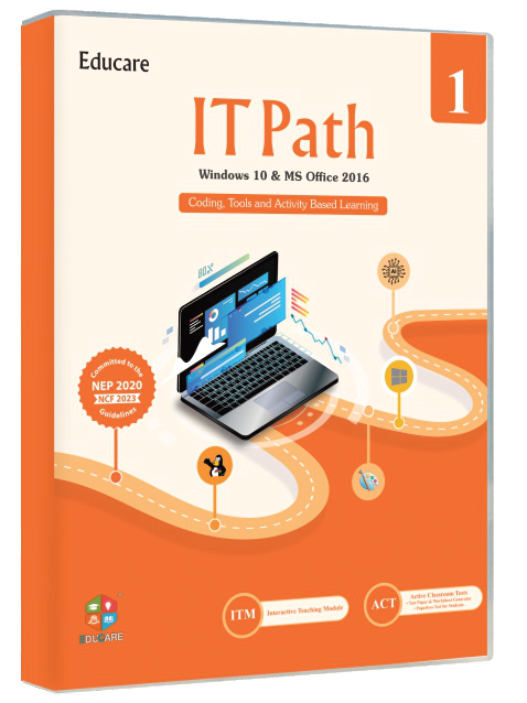
IT Path cover

IT Path

Win 10 · Office 2016 · Classes 1–8

from ₹230

All 18 series →

04 Cover marquee → Catalogue displays
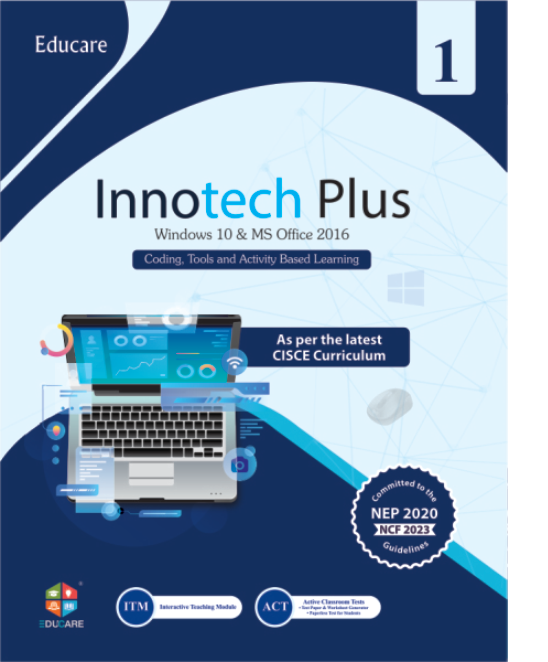
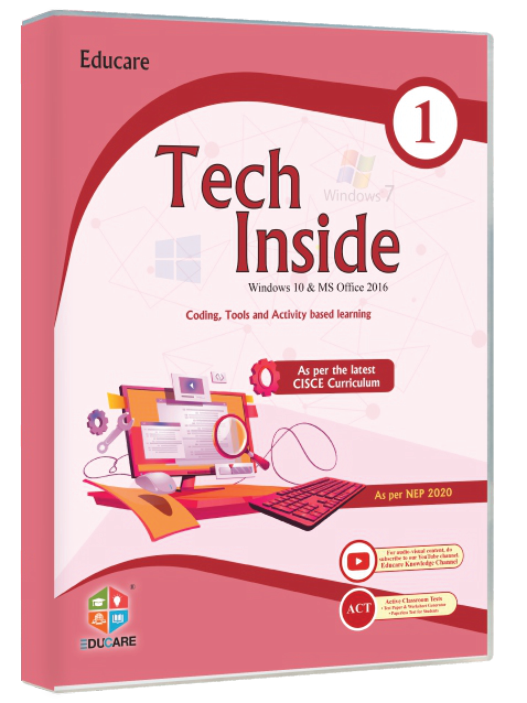
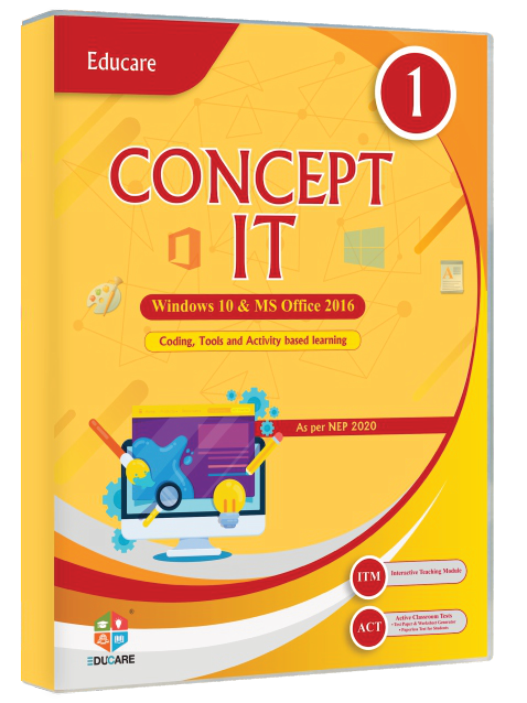
Tech Trek cover Explore It cover Tech Essentials cover IT Secret cover Cyber World cover IT Path cover Tech Inside cover Innotech Plus cover Concept It cover
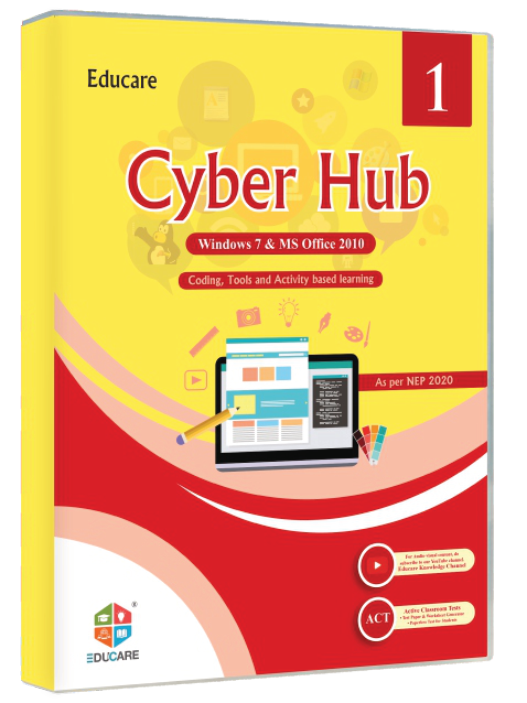
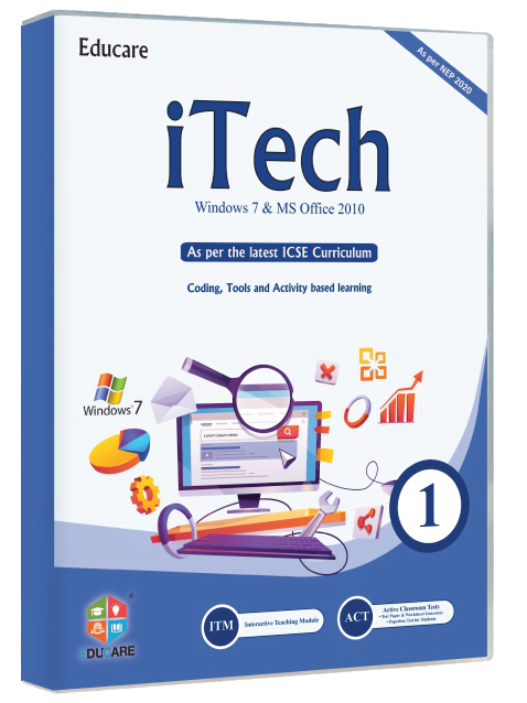
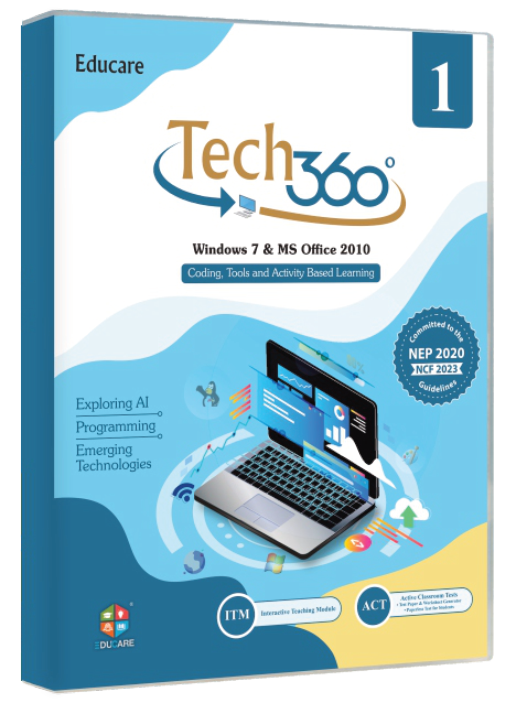
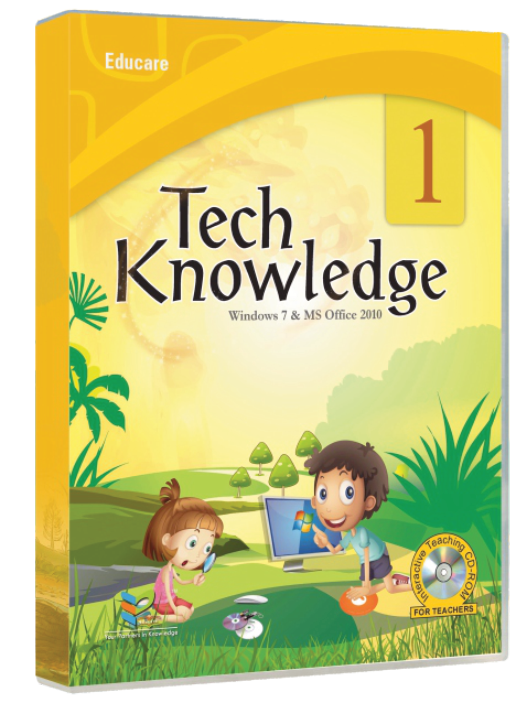
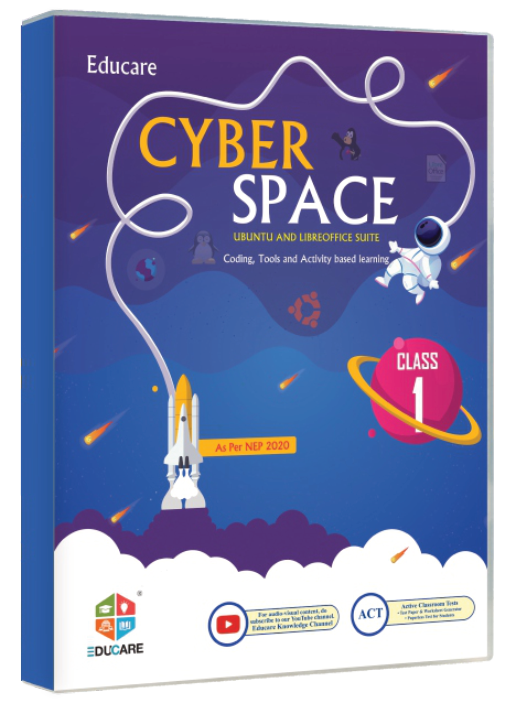
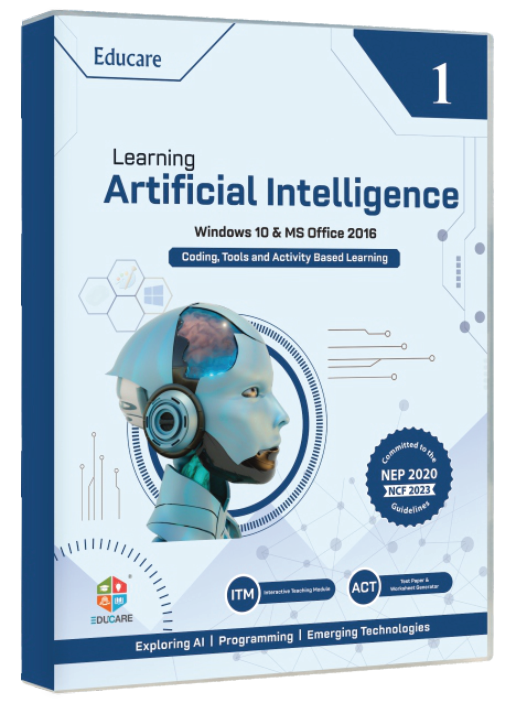
Cyber Hub cover iTech cover Tech 360 cover Tech Knowledge cover Cyber Space cover Artificial Intelligence cover Information Technology cover Information Technology cover Computer Applications cover
Pause36 covers in two rows · pauses on hover and under reduced motion

05 Three pillars → Feature & content sections

Why schools choose Educare

Curriculum-true

Written to CBSE, ICSE and State syllabi and NEP 2020; ISBN and class mapping always visible.

Future-ready

AI, coding, cyber safety and office tools taught at the right age.

Teacher-first

ITM, ACT, TRM, workshops and software support, so a computer teacher is never alone.

06 Solution cards → Cards

Everything around the book

ITM

Animated chapter lessons for the smart class

ACT

Ready-to-use tests for every chapter

TRM

Lesson plans, answer keys and worksheets

Flip Books

Page-turning digital editions of every book

Software Support

Install and lab set-up help for schools

Online Links

Chapter-wise web resources and downloads

Workshops

Teacher training, on-site and online

Tech Updates

What changed in tools and syllabus

07 How adoption works → Feature & content sections

How adoption works

  1. 1

    Request a specimen

    Tell us your school, board and the classes you teach.

  2. 2

    Review with your teachers

    Specimen copies with TRM and ITM samples reach you by courier.

  3. 3

    Order for the session

    Class-wise ISBNs and prices go straight into your booklist.

Request a specimen

08 Reach counters → Feature & content sections

18series
128books with an ISBN
1–10classes covered
8classroom solutions

09 Testimonials → Testimonials & proof

What schools say

Principal · CBSE school · Haryana

Computer teacher · ICSE school · Punjab

Academic coordinator · State-board school · Delhi NCR

10 Latest news → Cards

Latest from Educare

Company

Tech Trek: the Windows 11 & Office 2021 edition is here

Events

Teacher workshops for the new session: dates and cities

Tech updates

What changed in Office 2021 for Classes 6–8

All news →

11 CTA band → Feature & content sections

Ready to see the books?

Request specimen copies for your school. We send them to the principal or the computer teacher.

Request a specimen Contact us

12 Footer → Footers

Your Partners in Knowledge · Guru Nanak Complex, Railway Road, Karnal 132001, Haryana, India

+91 184 225 4445 · info@myeducare.in

Tech updates by email
school@example.inSubscribe

Built from

Blocks in page order. Each one links to the element page it is chosen on; anything you select there shows here.

  1. Hero sections

    No pick yet

  2. Catalogue displays

    No pick yet

    Filterable grid, the six newest-platform series.

  3. Catalogue displays

    No pick yet

  4. Cards

    No pick yet

  5. Feature & content sections

    No pick yet

    Count-up behaviour from Motion & scroll effects.

  6. Cards

    No pick yet

  7. Footers

    No pick yet

0/200

Series

One template for all 18 /books/{series} pages: cover pair, tabs, the class-wise ISBN and price table, related series and FAQ.

  • wireframe
  • 10 blocks
  • T-SERIES

On the site: One template for all 18 /books/{series} pages. Tabs, FAQ and breadcrumb come from the navigation-aids page and the ISBN table from the typography page; the related-series cards reuse the card family chosen for Home.

0 of 7 element slots have a pick

01 Header → Headers & mega menus

Books Solutions About Careers News Contact Request a specimen Menu

02 Breadcrumb → Tabs, accordions & navigation aids

Home Books Tech Trek

03 Series hero → Hero sections

Series · Classes 1–8

Tech Trek

WINDOWS 11 & MS OFFICE 2021 · 8 books · ₹295–₹575

CBSEICSEState boardsNEP 2020
Request a specimenSee the book list ↓
Tech Trek cover, Part 1 Tech Trek cover, Part 8

04 Tabs → Tabs, accordions & navigation aids

OverviewBook listTeacher resources

05 What ships with it → Feature & content sections

Every Tech Trek book ships with

ITM

Interactive Teaching Modules for every chapter

ACT

Active Classroom Tests, ready to print

TRM

Teacher's Resource Manual with answer keys

Flip Book

Page-turning digital edition

Online Links

Chapter-wise web resources

06 Book list table → Content blocks & typography

Book list · Classes 1–8

ClassBookISBN-13ISBN-10Price
1Tech Trek (Part 1)978-81-983279-7-081-983279-7-5₹295
2Tech Trek (Part 2)978-81-983279-6-381-983279-6-7₹385
3Tech Trek (Part 3)978-81-983279-3-281-983279-3-2₹485
4Tech Trek (Part 4)978-81-983279-1-881-983279-1-6₹515
5Tech Trek (Part 5)978-81-983279-4-981-983279-4-0₹525
6Tech Trek (Part 6)978-81-983279-8-781-983279-8-3₹555
7Tech Trek (Part 7)978-81-983279-9-481-983279-9-1₹565
8Tech Trek (Part 8)978-81-983279-5-681-983279-5-9₹575

07 Related series → Cards

More series for Classes 1–8

Explore It cover

Explore It

Win 10 · Office 2019

₹280+
Tech Essentials cover

Tech Essentials

Win 10 · Office 2019

₹259+
IT Secret cover

IT Secret

Win 10 · Office 2016

₹260+

08 FAQ accordion → Tabs, accordions & navigation aids

Questions schools ask

  • How do I get specimen copies of Tech Trek?

  • Is the series aligned to CBSE, ICSE and State boards?

  • Do all eight books come with TRM and ITM?

  • How are orders placed and delivered?

09 CTA band → Feature & content sections

See Tech Trek before you decide

Request specimen copies for your school. We send them to the principal or the computer teacher.

Request a Tech Trek specimen Talk to our team

10 Footer → Footers

Your Partners in Knowledge · Guru Nanak Complex, Railway Road, Karnal 132001, Haryana, India

+91 184 225 4445 · info@myeducare.in

Tech updates by email
school@example.inSubscribe

Built from

Blocks in page order. Each one links to the element page it is chosen on; anything you select there shows here.

  1. Hero sections

    No pick yet

  2. Tabs, accordions & navigation aids

    No pick yet

    Overview · Book list · Teacher resources; stacked accordion at 375.

  3. Content blocks & typography

    No pick yet

    Stacked cards at 375; ISBNs hyphenated as in books.json.

  4. Cards

    No pick yet

  5. Footers

    No pick yet

0/200

Book

One template for every /books/{series}/class-{n} page: cover, ISBN-10/13, price and platform in the hero, class chips, contents and teacher resources.

  • wireframe
  • 9 blocks
  • T-BOOK

On the site: One template for all 128 /books/{series}/class-{n} pages. Choose the single-book detail block on Catalogue displays; ISBN, price and platform never leave the hero, and the class chips link the sibling books.

0 of 7 element slots have a pick

01 Header → Headers & mega menus

Books Solutions About Careers News Contact Request a specimen Menu

02 Breadcrumb → Tabs, accordions & navigation aids

Home Books Tech Trek Class 3

03 Book detail hero → Catalogue displays

Class 3Win 11 · Office 2021

Tech Trek (Part 3)

ISBN-13
978-81-983279-3-2
ISBN-10
81-983279-3-2
Price
₹485
Platform
WINDOWS 11 & MS OFFICE 2021
Request a specimen Open the flip book
Tech Trek (Part 3) cover

04 Also in this series → Tabs, accordions & navigation aids

Class 1 Class 2 Class 3 Class 4 Class 5 Class 6 Class 7 Class 8

05 Contents → Content blocks & typography

Contents · 8 chapters

  1. 1
  2. 2
  3. 3
  4. 4
  5. 5
  6. 6
  7. 7
  8. 8

06 Teacher resources → Feature & content sections

For the teacher of Class 3

ITM

Available

ACT

Available

TRM

Available

Flip Book

Available

Online Links

Available

07 Downloads & links → Galleries & media

TRM sample chapterPDF
Flip book · Tech Trek (Part 3)Online
Online links for every chapterWeb

08 CTA band → Feature & content sections

Teaching Class 3 next session?

Request a specimen of Tech Trek (Part 3) with its TRM and ITM samples.

Request a Tech Trek specimen Contact sales

09 Footer → Footers

Your Partners in Knowledge · Guru Nanak Complex, Railway Road, Karnal 132001, Haryana, India

+91 184 225 4445 · info@myeducare.in

Tech updates by email
school@example.inSubscribe

Built from

Blocks in page order. Each one links to the element page it is chosen on; anything you select there shows here.

  1. Catalogue displays

    No pick yet

    JSON-LD Product with ISBN and price.

  2. Galleries & media

    No pick yet

  3. Footers

    No pick yet

0/200

Solutions

The /solutions index: eight solution cards, a media-split on how the pieces fit around a series, teacher quotes and a 'talk to our team' band.

  • wireframe
  • 8 blocks
  • T-SOLUTIONS

On the site: The /solutions index. Its solution cards and testimonial band come from the same picks as Home; each of the 8 detail pages reuses this hero and media-split with one variant band per solution.

0 of 7 element slots have a pick

01 Header → Headers & mega menus

Books Solutions About Careers News Contact Request a specimen Menu

02 Breadcrumb → Tabs, accordions & navigation aids

Home Solutions

03 Page hero → Hero sections

Classroom solutions

Everything around the book

Eight tools so a computer teacher is never alone: modules for the smart class, tests, manuals, flip books, support, links, workshops and tech updates.

Talk to our team Request a specimen →

04 Solution cards → Cards

ITM · Interactive Teaching Modules

Animated chapter lessons for the smart class

Learn more →

ACT · Active Classroom Tests

Ready-to-use tests for every chapter

Learn more →

TRM · Teacher's Resource Manuals

Lesson plans, answer keys and worksheets

Learn more →

Flip Books

Page-turning digital editions of every book

Learn more →

Software Support

Install and lab set-up help for schools

Learn more →

Online Links

Chapter-wise web resources and downloads

Learn more →

Workshops

Teacher training, on-site and online

Learn more →

Tech Updates

What changed in tools and syllabus

Learn more →

05 How the pieces fit → Feature & content sections

Two kids using an interactive smart board
Photo: Alena Darmel · Pexels License

One series, one kit

The book is the centre; the tools sit around it

ITM runs the chapter on the smart board, ACT tests it, TRM plans it and the flip book carries it home.

06 Teacher quotes → Testimonials & proof

Principal · CBSE school · Haryana

Computer teacher · ICSE school · Punjab

07 CTA band → Feature & content sections

Set up your computer lab with us

Software support, on-site workshops and ITM demos for schools across India.

Talk to our team All solutions

08 Footer → Footers

Your Partners in Knowledge · Guru Nanak Complex, Railway Road, Karnal 132001, Haryana, India

+91 184 225 4445 · info@myeducare.in

Tech updates by email
school@example.inSubscribe

Built from

Blocks in page order. Each one links to the element page it is chosen on; anything you select there shows here.

  1. Hero sections

    No pick yet

  2. Cards

    No pick yet

    Order = mega menu §4.

  3. Feature & content sections

    No pick yet

    Talk to our team → /contact?topic=solutions

  4. Footers

    No pick yet

0/200

About

The /about page with in-page anchors: story, timeline, three pillars, reach counters, leadership cards and an authors teaser.

  • wireframe
  • 12 blocks
  • T-ABOUT

On the site: The /about page with in-page anchors (#story #pillars #reach #leadership #authors). Timeline, pillars, stats and the team cards all come from the sections and cards pages, so nothing on it is bespoke.

0 of 7 element slots have a pick

01 Header → Headers & mega menus

Books Solutions About Careers News Contact Request a specimen Menu

02 Breadcrumb → Tabs, accordions & navigation aids

Home About

03 Page hero → Hero sections

About Educare

Your Partners in Knowledge

Educare Knowledge India publishes the computer and IT curriculum Indian schools teach from, KG to Class X, and backs every book with the tools a teacher needs to run the lesson.

Indian classroom full of students sitting at desks
Photo: CIMT HOOGHLY · Unsplash License

04 In-page anchors → Tabs, accordions & navigation aids

Story Timeline Pillars Reach Leadership Authors

05 Our story → Content blocks & typography

Story

EDUCARE: Education as a means of Connecting All, Reaching Everyone

Reading measure 65ch, headings h2–h4, pull quote and icon list from the typography page.

06 Timeline → Feature & content sections

Milestones

  1. Computer education publishing begins in Karnal

  2. Windows 7 & Office 2010 series: Cyber Hub, iTech, Tech 360, Tech Knowledge

  3. Windows 10 series and the CBSE skill-subject books (codes 402, 417, 165)

  4. Tech Trek on Windows 11 & Office 2021; Learning AI runs Class 1 to 10

07 Three pillars → Feature & content sections

Curriculum-true

Written to CBSE, ICSE and State syllabi and NEP 2020; ISBN and class mapping always visible.

Future-ready

AI, coding, cyber safety and office tools taught at the right age.

Teacher-first

ITM, ACT, TRM, workshops and software support, so a computer teacher is never alone.

08 Reach counters → Feature & content sections

18series in print
128books with an ISBN
KG–Xclasses served
KarnalHaryana, India

09 Leadership → Cards

Leadership

Managing Director

Editorial head

Head of school partnerships

10 Our authors → Feature & content sections

Students in uniform studying in a library
Photo: Gokuldham Nar · Pexels License

Authors

Written by people who teach

Computer teachers, trainers and reviewers write and check every series. Want to join them?

Write for Educare →

11 CTA band → Feature & content sections

Ready to see the books?

Request specimen copies for your school. We send them to the principal or the computer teacher.

Request a specimen Contact us

12 Footer → Footers

Your Partners in Knowledge · Guru Nanak Complex, Railway Road, Karnal 132001, Haryana, India

+91 184 225 4445 · info@myeducare.in

Tech updates by email
school@example.inSubscribe

Built from

Blocks in page order. Each one links to the element page it is chosen on; anything you select there shows here.

  1. Hero sections

    No pick yet

  2. Tabs, accordions & navigation aids

    No pick yet

    Sticky sub-nav style from the same page.

  3. Cards

    No pick yet

  4. Footers

    No pick yet

0/200

Careers

The /careers page: why work here, the openings list (12 per page), how to apply by email and the 'Write for Educare' teaser.

  • wireframe
  • 7 blocks
  • T-CAREERS

On the site: The /careers page. Openings are rows filled from the admin (12 per page, empty state links to the authors page); the 'Write for Educare' teaser leads to /careers/authors, which reuses steps, features and FAQ.

0 of 7 element slots have a pick

01 Header → Headers & mega menus

Books Solutions About Careers News Contact Request a specimen Menu

02 Breadcrumb → Tabs, accordions & navigation aids

Home Careers

03 Page hero → Hero sections

Careers

Work on the books India's classrooms teach from

Editors, authors, trainers and school partnership teams, based in Karnal and on the road across India.

See openings Write for Educare →

04 Why work here → Feature & content sections

Books that reach classrooms

Your chapter is taught in schools the next session.

Teach the teachers

Workshops and ITM demos in schools across India.

Always the latest platform

Windows 11, Office 2021, AI and open-source tools.

05 Openings list → Cards

Openings

Sales Executive

Delhi NCR · Full-time ·

View

Computer Teacher Trainer

Karnal · Full-time ·

View

Content Editor, IT books

Karnal · Full-time ·

View
12

06 How to apply → Content blocks & typography

How to apply

Send your résumé to career@myeducare.in with the role in the subject line, or use the contact form with the topic “Careers”.

Email your résuméContact form →

07 Write for Educare → Feature & content sections

Teacher leading a lesson with engaged students
Photo: Max Fischer · Pexels License

Authors and reviewers

Write for Educare

Propose a manuscript or review a series. Three steps: propose, review, publish.

How it works →

08 Footer → Footers

Your Partners in Knowledge · Guru Nanak Complex, Railway Road, Karnal 132001, Haryana, India

+91 184 225 4445 · info@myeducare.in

Tech updates by email
school@example.inSubscribe

Built from

Blocks in page order. Each one links to the element page it is chosen on; anything you select there shows here.

  1. Hero sections

    No pick yet

  2. Cards

    No pick yet

    Compact list rows; the three shown are examples. Pagination from the navigation-aids page.

  3. Content blocks & typography

    No pick yet

    Callout style with the careers mailto.

  4. Footers

    No pick yet

0/200

News

The /news listing: category chips (Company, Events, Tech updates), six cards per page, pagination and a closing band.

  • wireframe
  • 8 blocks
  • T-NEWS

On the site: The /news listing (6 per page, category chips, ?page= pagination, Clear when filtered). Each article page reuses the article layout from the typography page plus a related-series band.

0 of 6 element slots have a pick

01 Header → Headers & mega menus

Books Solutions About Careers News Contact Request a specimen Menu

02 Breadcrumb → Tabs, accordions & navigation aids

Home News

03 Page hero → Hero sections

News

News, events and tech updates

What changed in the tools, the syllabus and the series, plus workshop dates.

04 Category chips → Tabs, accordions & navigation aids

AllCompanyEventsTech updatesClear

05 News cards → Cards

Company

Tech Trek: the Windows 11 & Office 2021 edition is here

Events

Teacher workshops for the new session: dates and cities

Tech updates

What changed in Office 2021 for Classes 6–8

Company

Learning Artificial Intelligence now runs from Class 1 to 10

Events

On-site ITM demo days for schools in Haryana and Punjab

Tech updates

Ubuntu and LibreOffice: the Cyber Space series explained

06 Pagination → Tabs, accordions & navigation aids

‹ Prev123Next ›

07 CTA band → Feature & content sections

Get tech updates by email

One message a term: what changed in the tools and the syllabus.

Subscribe Request a specimen

08 Footer → Footers

Your Partners in Knowledge · Guru Nanak Complex, Railway Road, Karnal 132001, Haryana, India

+91 184 225 4445 · info@myeducare.in

Tech updates by email
school@example.inSubscribe

Built from

Blocks in page order. Each one links to the element page it is chosen on; anything you select there shows here.

  1. Hero sections

    No pick yet

  2. Cards

    No pick yet

  3. Footers

    No pick yet

0/200

Contact

The /contact page: office details with a static map, the contact form with a topic preselect, the success toast and quick-answer FAQ.

  • wireframe
  • 8 blocks
  • T-CONTACT

On the site: The /contact page and one of the two forms on the site. Pick its label style and states on the Forms page; the map is a static placeholder from the media page and the success toast comes from Overlays.

0 of 7 element slots have a pick

01 Header → Headers & mega menus

Books Solutions About Careers News Contact Request a specimen Menu

02 Breadcrumb → Tabs, accordions & navigation aids

Home Contact

03 Page hero → Hero sections

Contact

Talk to Educare

Orders, specimen copies, solutions, software support, workshops and careers: one form, one team in Karnal.

04 Office & map → Galleries & media

Educare Knowledge India Pvt. Ltd.

Guru Nanak Complex, Railway Road, Karnal 132001, Haryana, India

+91 184 225 4445 · WhatsApp

info@myeducare.in · career@myeducare.in

Railway Road, Karnal · open in Maps

05 Contact form → Forms

Send a message

Name
Email
Phone (optional)
School or organisation (optional)
TopicSolutions
MessageHow can we help your school?
Send messageErrors show inline under each field and in a summary above the form.

06 Success toast → Modals, drawers, toasts & banners

07 FAQ accordion → Tabs, accordions & navigation aids

Quick answers

  • How do I order books for the whole school?

  • Can I get specimen copies before ordering?

  • Do you install the software in our computer lab?

08 Footer → Footers

Your Partners in Knowledge · Guru Nanak Complex, Railway Road, Karnal 132001, Haryana, India

+91 184 225 4445 · info@myeducare.in

Tech updates by email
school@example.inSubscribe

Built from

Blocks in page order. Each one links to the element page it is chosen on; anything you select there shows here.

  1. Hero sections

    No pick yet

  2. Galleries & media

    No pick yet

    Static map image with a link; no third-party embed.

  3. Forms

    No pick yet

    ?topic= preselects the topic; honeypot “website”.

  4. Footers

    No pick yet

0/200

Specimen request

The /specimen-request page, the site's main conversion: who qualifies, three steps, the request form with a cover grid of series, and FAQ.

  • wireframe
  • 7 blocks
  • T-SPECIMEN

On the site: /specimen-request is the primary conversion. Choose the single form or the 3-step wizard on the Forms page; ?series= pre-ticks one cover in the grid and the success flash lists the series chosen.

0 of 6 element slots have a pick

01 Header → Headers & mega menus

Books Solutions About Careers News Contact Request a specimen Menu

02 Breadcrumb → Tabs, accordions & navigation aids

Home Request a specimen

03 Page hero → Hero sections

Specimen copies

Request specimen copies for your school

For schools only: principals, coordinators and computer teachers. Tell us the series and classes and the books reach you by courier.

04 Three steps → Feature & content sections

  1. 1

    Request

    School, board, classes and the series you want to see.

  2. 2

    Dispatch

    Specimen copies with TRM and ITM samples leave Karnal by courier.

  3. 3

    Follow-up

    Our team calls to answer questions and arrange an ITM demo.

05 Specimen form → Forms

School name
Contact name
RolePrincipal
BoardCBSE
Email
Phone
City
StateHaryana
Series (pick any; Tech Trek is pre-ticked from ?series=)
Tech Trek cover Tech Trek
Explore It coverExplore It
Tech Essentials coverTech Essentials
IT Secret coverIT Secret
Cyber World coverCyber World
IT Path coverIT Path
Show all 18 series →
Classes
Classes 1–8Classes 9–10
Message (optional)
Send requestThrottled 5 per minute; honeypot field “website” is hidden.

06 FAQ accordion → Tabs, accordions & navigation aids

Questions schools ask

  • Who can request specimen copies?

  • How many series can I ask for at once?

  • How long does dispatch take?

  • Will someone from Educare visit our school?

07 Footer → Footers

Your Partners in Knowledge · Guru Nanak Complex, Railway Road, Karnal 132001, Haryana, India

+91 184 225 4445 · info@myeducare.in

Tech updates by email
school@example.inSubscribe

Built from

Blocks in page order. Each one links to the element page it is chosen on; anything you select there shows here.

  1. Hero sections

    No pick yet

  2. Forms

    No pick yet

    Single form or 3-step wizard; series as a cover grid with visible labels.

  3. Footers

    No pick yet

0/200

Windows is set to reduce animation. This proposal plays its full motion so you can judge it.

Motion is off